Gifts for Mechanical Keyboard Builders
They press one key and ask if you hear it. Most of us have typed for years without listening. For a minute you get to hear a familiar sound the way they do. This guide to gifts for keyboard builders follows a build from the board to the switches to the final tuning.
See also: PC gamers Programmers Home lab builders Tech lovers
Before you buy
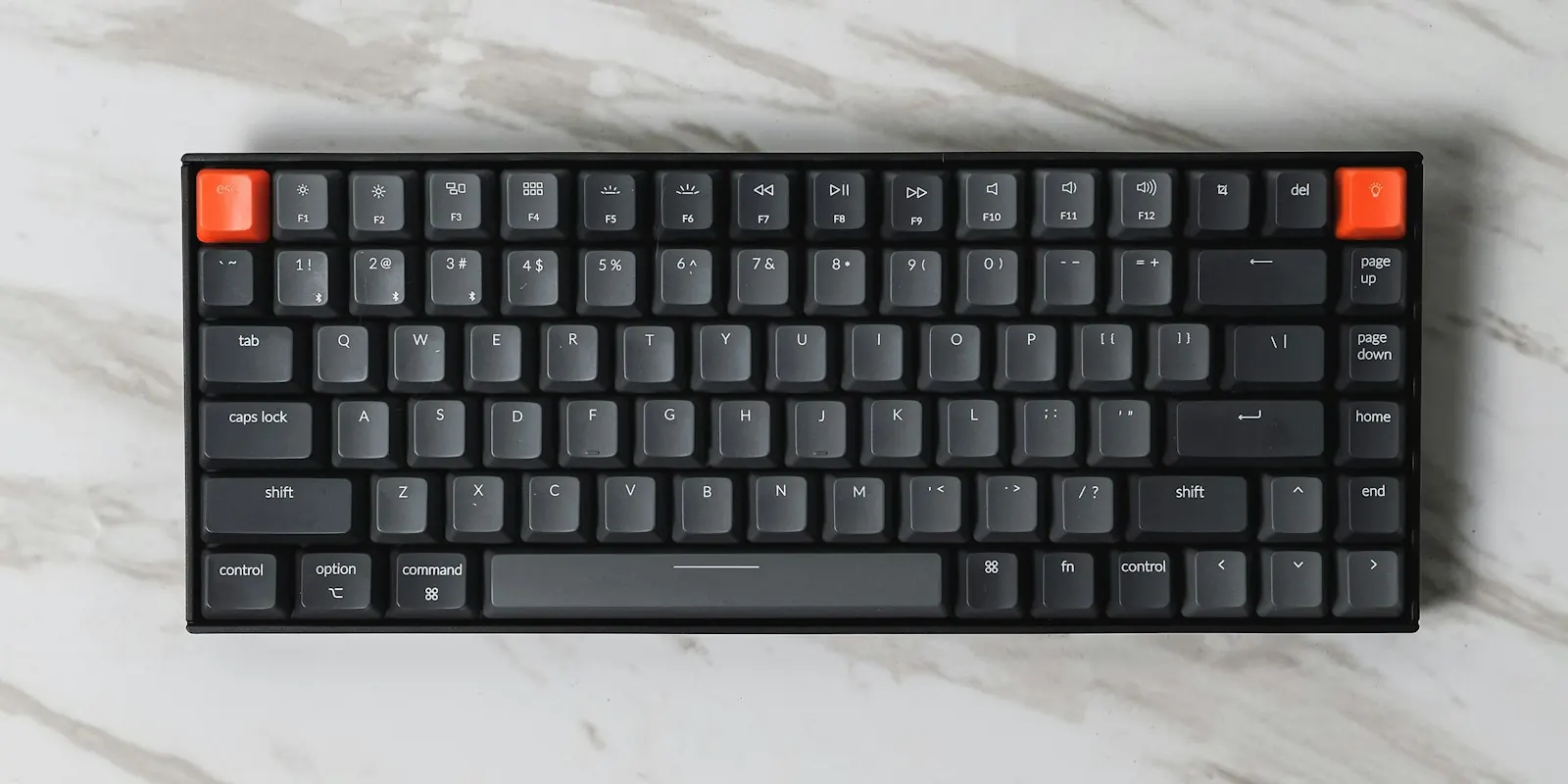
- Ask what size board they use. A 75% board needs about 84 switches; a full-size one needs about 104.
- Switches come in three kinds: linear (smooth), tactile (a bump) and clicky (a click). If you are not sure, a switch tester is a safe pick.
- Most keycap sets fit most boards, but check that the board uses standard MX-style switches. Low-profile boards need their own caps.
No gifts match. Try another search or increase your budget.
If you buy one thing
-
Keychron Q1 Max Barebone Keyboard
A heavy all-metal 75% board with a volume knob, hot-swap and wireless, sold without switches or keycaps so they choose their own. Check the layout they want before buying.
Budget: Splurge $100+ See it on Amazon: Keychron Q1 Max Barebone Keyboard (opens in a new tab)
The board 2 ideas
The case and circuit board everything else plugs into.
-
Keychron Q1 HE Wireless Magnetic Keyboard
The same metal Q1 body with magnetic switches. They can set how far each key travels before it types, which gamers love for fast, light presses.
Budget: Splurge $100+ See it on Amazon: Keychron Q1 HE Wireless Magnetic Keyboard (opens in a new tab) -
Keychron V1 Max Wireless Mechanical Keyboard
A complete 75% board with switches and keycaps already in, at a much lower price. It is hot-swap, so it doubles as a first board to tear apart and rebuild.
Switches 4 ideas
The part under each key that decides how typing feels and sounds.
-
Gateron Milky Yellow Pro V3 Linear Switches, 108 Pack
Smooth, factory-lubed linear switches that sound soft and deep. Enough in one pack to fill a full-size board with spares left over.
-
Akko V3 Creamy Blue Pro Tactile Switches, 45 Pack
Light tactile switches with a gentle bump at the top of each press. A full board needs two packs, so buy two if they love the feel.
-
Kailh Box Jade Clicky Switches, 108 Pack
Crisp, loud clicky switches with a sharp snap on every key. For the builder who wants a typewriter feel and has no roommates.
-
Akko 16-Key Switch Tester
Sixteen different switches in a clear block, to press side by side. The easy way to find out what they like before buying a hundred of one.
Budget: Under $25 See it on Amazon: Akko 16-Key Switch Tester (opens in a new tab)
Tuning 5 ideas
Lube, films and stabilizers: the quiet work that makes a board sound expensive.
-
YIMAGUJRX Switch Lube Station Kit
A tray that holds 32 switches open at once, with an opener, brushes and lube. Lubing by hand is slow, calm work, and this setup makes it far less fiddly.
-
DUROCK Switch Film 0.15mm, 120 Pieces
Thin plastic shims that slip between the two halves of a switch. They stop the wobble and make each press sound tighter and cleaner.
-
DUROCK Screw-In Stabilizers V3
The parts under long keys like the space bar. Rattly stabilizers are a common complaint about cheaper boards, and swapping them is a classic fix.
Budget: Under $25 See it on Amazon: DUROCK Screw-In Stabilizers V3 (opens in a new tab) -
KEMOVE P10 2-in-1 Switch and Keycap Puller
One tool that pulls keycaps and switches. Builders pull every key on a board more than once, and this is easier on fingers than the free tool in the box.
-
Hakko CHP-170 Micro Cutter, 2 Pack
Small flush cutters that every electronics bench seems to own. Builders use them to clip stabilizer feet and trim wires flat.
Keycaps 2 ideas
The part everyone sees, and the easiest way to make a board their own.
-
Keychron Double Shot Cherry PBT Keycap Set, 219 Keys
Thick PBT caps with letters molded in, so they never fade or turn shiny. With 219 keys, the set covers almost any layout they build next.
-
Womier Double Shot PBT Keycap Set, 138 Keys
A cheaper double-shot PBT set in fun colors. Good for a second board, or to try a new look without spending much.
At the desk 4 ideas
The finishing touches around the board.
-
Keychron Coiled Aviator USB-C Cable
The springy, coiled cable with a screw-on metal joint that shows up in every keyboard photo. It looks great and unclips fast.
-
GLORIOUS Wooden Wrist Rest, TKL
A solid ash wood rest sized for a compact board. Mechanical keyboards sit tall, and a rest makes long typing sessions easier on wrists.
-
GLORIOUS GMP 2 XXL Desk Mat
A big, spill-proof mat under the keyboard and mouse. It softens the sound of a loud board on a hard desk and catches the coffee.
-
KEEBMONKEY Megalodon Triple Knob Macro Pad
A tiny extra keyboard with 16 keys and three knobs, each set to whatever they want: volume, shortcuts, app launches. A fun side build next to the main board.
How it comes together
Pick the board and count its keys, then buy enough switches plus a few spares.
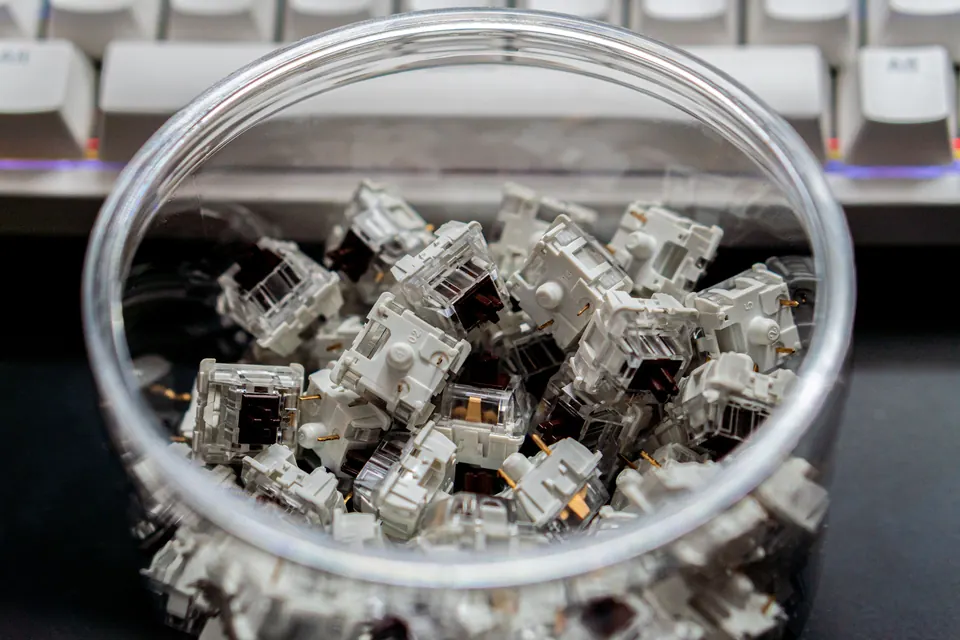
- Try a switch tester first to choose between smooth, bumpy and clicky.
- If they want, open each switch and brush a thin coat of lube on the stem and spring, then add a film before closing it.
- Tune the stabilizers under the long keys: a dab of lube on the wire ends, and screws snug so nothing rattles.
Press each switch straight down into its socket. If a key does not work, check for a bent pin.
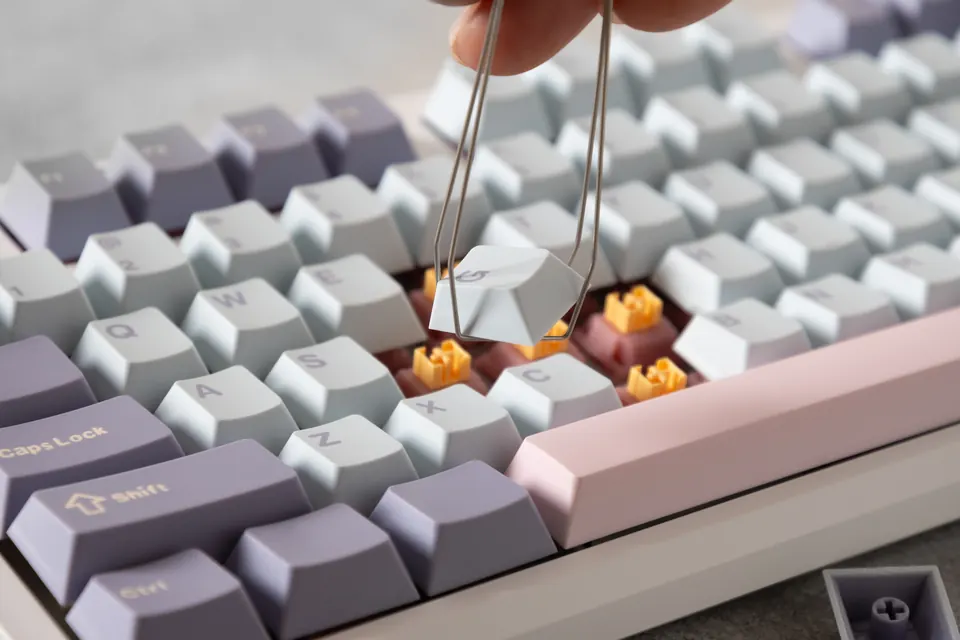
- Add the keycaps, plug it in, test every key on a key-tester website, and remap keys in VIA if they like.
Watch out for
- A switch that will not type usually has a bent pin. Pull it, straighten the pin with tweezers, and press it in again.
- Some switches have five pins and some boards only take three. The two small plastic legs can be clipped off with flush cutters.
- Too much lube makes switches feel mushy. A thin coat is plenty, and clicky switches should not be lubed at all, or the click goes away.
- Magnetic boards like the Q1 HE need magnetic switches. Regular switches will not work in them.
- Some boards use odd sizes on the bottom row. A big keycap set like the 219-key one covers most layouts.